Worried about your password because of hackers? Duo Mobile puts a strong two-factor authentication guard on your accounts. Learn how it works, why big companies trust it, and how it provides solid protection for your online accounts.
In today’s digital age, it is no longer possible to protect your personal or office accounts with just a password. Cyber thieves are constantly coming up with new tricks to steal your login details. So now there is no other way but to give your and your organization’s security the number one priority.
This is where the Duo-Mobile app comes in handy. It creates a strong wall of security for your account through multi-factor authentication. So even if someone steals your password, they won’t be able to access your account without your permission.
From developers to digital marketers, many people who work online are now using Duo-Mobile to keep their systems, cloud dashboards, email accounts, and company networks safe from hackers.
Some common platforms where Duo-Mobile is frequently used include:
- Corporate email systems
- Cloud services and developer dashboards
- Remote company VPN access
- University and educational portals
- Financial and enterprise applications
What is Duo Mobile?

Duo-Mobile is an app that provides extra security, or ‘two-factor authentication’, when logging into your accounts. It was created by a cybersecurity company called Cisco Duo so that even if someone knows your password, they can’t access your account without your permission.
Instead of relying on your password alone, Duo-Mobile asks you for a second confirmation. This is usually done by sending a push notification to your smartphone or by providing a one-time passcode (OTP).
Suppose, when you go to log in to a secure system, a notification will come to your phone from Duo-Mobile. It will ask you whether you allow this login? If you tap on the ‘Approve’ button, you will be able to enter. And if you tap on ‘Deny’, the login will be blocked immediately.
This simple process significantly reduces the risk of unauthorized access.
Why Cybersecurity Needs Two-Factor Authentication?
Relying solely on passwords is now extremely risky. You can fall into the trap of phishing attacks, data leaks, or hackers trying to guess your password at any time. On top of that, many people use the same password on all websites, which increases the danger several times over.
By using Duo-Mobile, users add a second verification layer that hackers cannot easily bypass. Even if someone knows your password, they still need your physical device to approve the login.
Using Duo-Mobile adds an extra layer of security to your account that hackers can’t easily bypass. Even if someone knows your password, they can still log in without your own phone or device. Nowadays, all the big companies around the world are using Duo-Mobile to protect their employees’ accounts, office servers, and all their confidential information. From universities to banks, tech companies, and even government offices, it is now widely used for security.
The biggest reasons organizations use Duo-Mobile include:
- Protection against password theft
- Strong identity verification
- Secure remote access for employees
- Minimizes the chances of sensitive data leaks or security breaches
- Can be quickly integrated and deployed across different systems
Main Features of Duo Mobile
The real reason Duo-Mobile is so popular is that it offers strong security while being incredibly easy to use.
Push Authentication
The biggest advantage of Duo-Mobile is its ‘push authentication’. Whenever you go to log in, the app will send a notification to your phone. You can accept or reject the request with just one tap.
Short-term one-time access codes
If you don’t receive notifications due to internet issues, don’t worry. Duo Mobile automatically generates a passcode that changes over time, allowing you to easily and securely verify your login.
Device Health Check
Some companies and offices now use Duo-Mobile to check how secure your device is. Before you log in to something, the system checks whether your phone or laptop meets all security requirements—only if everything is in order will you be allowed in.
Backup Authentication Options
Users can also authenticate using backup methods when needed:
- Physical security token devices
- Verification codes sent through S.M.S
- Backup authentication devices
- Short-term one-time access codes
These options ensure that access remains possible even if a phone is unavailable.
How Duo Mobile Has Works
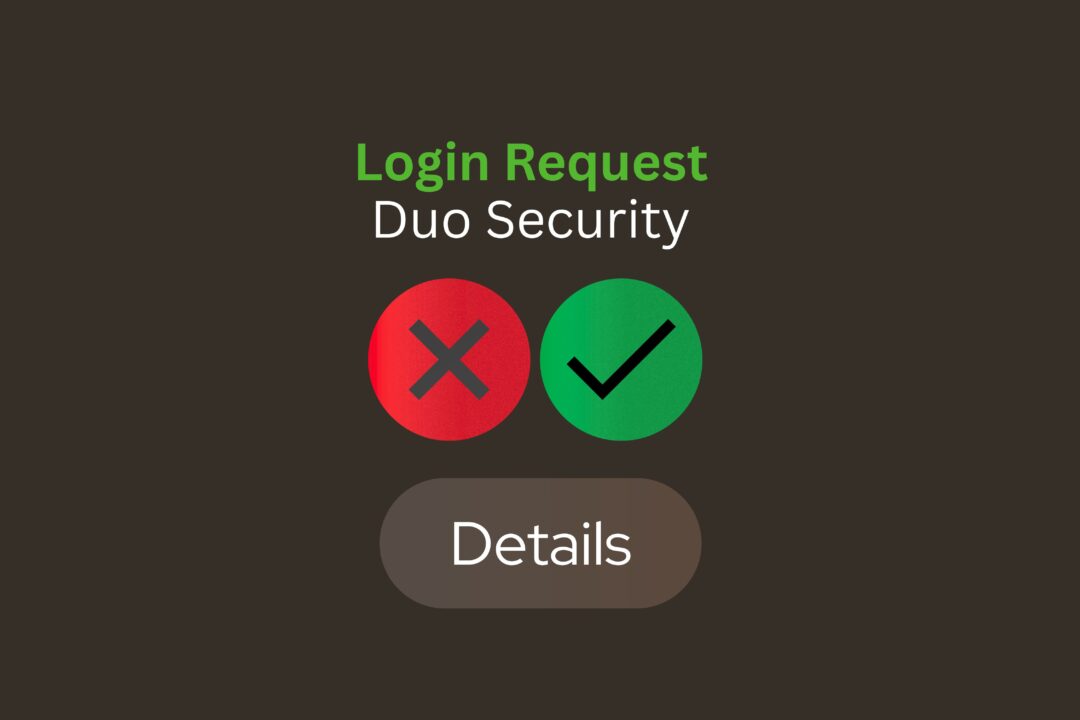
The authentication process using Duo-Mobile is simple but highly secure.
First, the user enters their username and password to log in to a secure service. The system then automatically sends a verification request to the Duo Mobile app.
The user will then receive a push notification asking them to confirm. Once they approve the request in the Duo Mobile app, they will be logged in.
If the request seems suspicious, the user can cancel it immediately. This will immediately block anyone else who tries to access your account.
This process takes only a few seconds but provides a massive improvement in account security.
✅ End to End Encryption Secrets: 13 Facts That Can Save Your Digital Life
Benefits of Using Duo Mobile
Security experts strongly recommend using multi-factor authentication. Duo Mobile offers several practical benefits that make it one of the most trusted authentication apps available today.
First, it dramatically reduces the risk of hacking. Even if attackers steal passwords, they cannot access accounts without the secondary verification.
Second, Duo Mobile improves user awareness. When you receive a login notification that you did not request, you immediately know someone may be trying to access your account.
Third, the app integrates with thousands of platforms, including corporate networks, cloud applications, VPN systems, and developer tools.
Additional major advantages include:
- Quick authentication with a single tap
- Strong encryption security
- Compatible with thousands of online platforms and services
- Ideal for remote work environments
- Protects both personal and business accounts
Who Commonly Uses Duo Mobile?
These days, many professionals and big companies are using Duo Mobile without any hesitation. It is now very popular especially with tech companies and reputed schools and colleges.
Developers, remote workers, IT admins, and cybersecurity professionals are now using Duo Mobile more frequently. They use this app to ensure extra security when logging into important and sensitive systems.
Common users include:
- Software developers
- IT security teams
- Corporate employees
- College students, faculty members, and university staff
- Remote workers and freelancers
For example, software developers working on complex platforms often access cloud dashboards, repositories, and server environments. These environments require strong authentication systems like Duo Mobile.
Duo Mobile in the Tech Industry
The technology sector heavily depends on secure authentication systems.
Nowadays, those who are learning modern development often have one question on their minds – what exactly is a full stack developer? They also search the internet for jobs, salaries, and the best course options for learning this position online.
These days, many developers are exploring Java Full Stack, trying to build a good resume, or wondering what it really takes to learn the full stack. At the end of the day, they have to work on secure platforms where using authentication tools like Duo Mobile is a must.
Today’s students are constantly searching for good courses—be it learning full stack with Python, finding a good training center nearby, or even the latest AI-based advanced full stack courses.
In professional trainings like the Full Stack Developer Bootcamp, instructors provide hands-on instruction on how to secure production servers and developer accounts using authentication tools.
If you are planning how to become a full stack developer, working with cloud systems will likely require security tools like Duo Mobile.
Whether you’re applying for a remote job, taking full-stack training, or preparing for an interview—it’s important to understand cybersecurity basics like multi-factor authentication (MFA). Don’t skip these things as you follow the roadmap.
Steps to Install and Configure Duo Mobile
Setting up Duo Mobile is as easy as pie, taking just a few minutes.
You can begin by completing the following simple steps:
- Download the Duo Mobile app from the Google Play Store or Apple App Store
- Open the app once installed
- Scan the QR code provided by your office or organization
- Link your account to this authentication system.
Once your accounts are linked, whenever you log in to a secure system, a request will be sent to your app.
That’s it, Duo Mobile will be your biggest security tool for verifying your identity from now on.
Is Duo Mobile Safe?
Yes, Duo Mobile is quite safe. This app works on an encrypted channel, so it is almost impossible for your authentication request to be hacked or stolen mid-way.
Additionally, it does not store your passwords. Instead, it simply confirms whether you approve login requests.
Because of this design, Duo Mobile minimizes security risks while maintaining user privacy.
Common Problems and Solutions
Although Duo Mobile is easy to use, some users occasionally experience issues.
The most common problems include:
- Push alerts are not showing up on the device
- Internet connection problems
- Replacing or switching to a new smartphone
- Lost or unavailable device
In most cases, turning on notifications or reconnecting the account solves the problem. And to prevent any confusion with the login, companies usually keep an alternative way of logging in as a backup.
What the Future of Digital Authentication Looks Like
The world of cybersecurity is changing rapidly. As the fear of online threats and hacking increases, our login and identity verification systems need to be more robust and robust.
Experts believe that authentication apps like Duo Mobile will remain essential in the days to come to keep our digital profiles or IDs secure.
In the future, authentication may combine biometrics, device recognition, and behavioral analysis along with apps like Duo Mobile to create even more secure login systems.
Future authentication technologies may combine:
- Identity verification using biometric data
- Security monitoring powered by artificial intelligence
- Systems that identify and verify trusted devices
- Analysis of user behavior during login activity
These innovations will work alongside apps like Duo Mobile to create even more secure login systems.
Frequently Asked Questions
1. What is Duo Mobile used for?
Duo Mobile is used for two-factor authentication. It adds an extra layer of security by verifying login attempts through a smartphone notification or one-time passcode.
2. Is Duo Mobile free?
Yes, Duo Mobile itself is free to download. However, organizations may pay for Cisco Duo’s enterprise security services that integrate with the app.
3. Does Duo Mobile work without internet?
Yes. Even without internet access, Duo Mobile can generate time-based passcodes that allow authentication.
4. Is Duo Mobile safe for personal accounts?
Yes. Duo Mobile uses encrypted communication and secure authentication methods, making it a reliable tool for protecting personal and professional accounts.
5. Can I use Duo Mobile on multiple devices?
Some organizations allow linking multiple devices to Duo Mobile, which provides backup authentication options if your primary device is unavailable.
Conclusion
With the increasing number of cyber attacks these days, relying solely on passwords is a fool’s errand. Security experts always recommend adding an extra layer of protection, and Duo Mobile is one of the easiest and most convenient solutions available today.
With easy setup, strong security, and reliable push notifications, Duo Mobile is a great way to keep your digital accounts safe. Whether you’re a student or an employee, a developer or a businessman—using this app will greatly reduce the risk of your account being hacked or someone else breaking into your account.
As everything moves online and work from home becomes more common, tools like Duo Mobile are becoming more essential for digital security. Implementing strong security or authentication today will not only keep your data safe, but will also make the internet safer and more trustworthy for everyone.