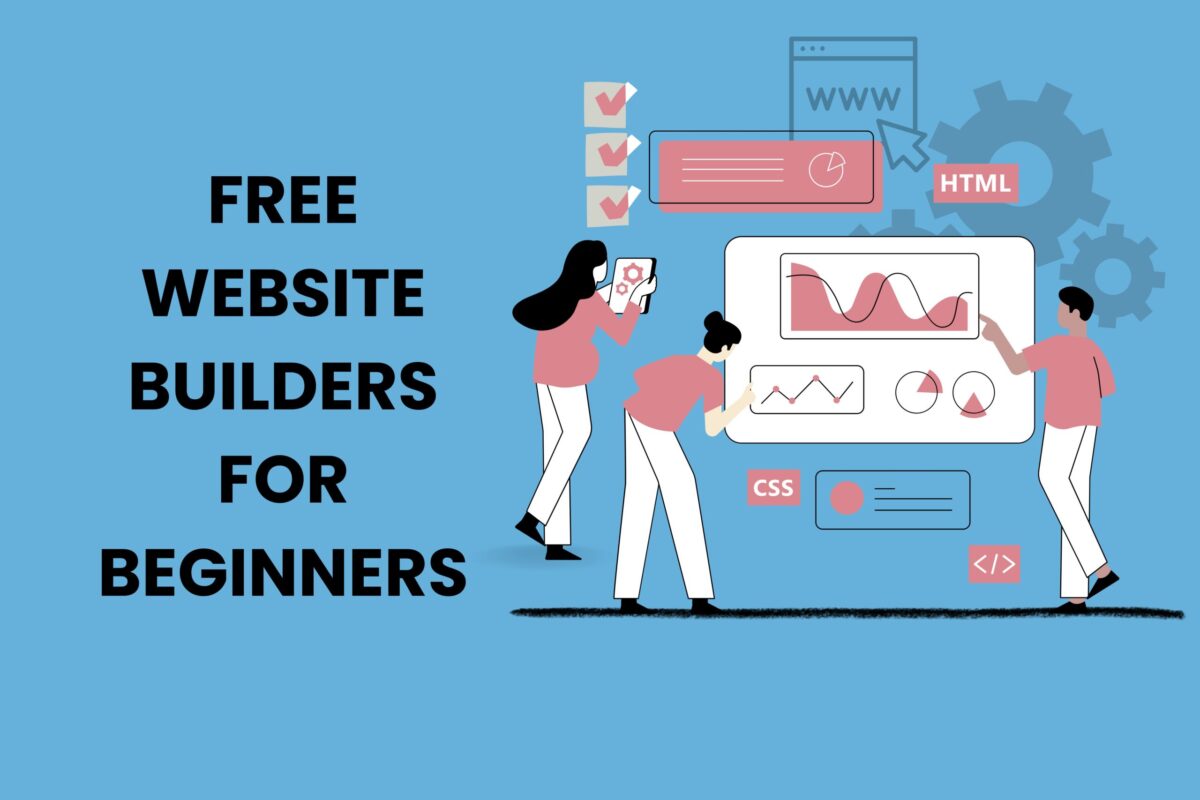
Discover the most reliable free website builders for beginners in 2026. Learn how to create a website easily, compare tools, and choose the right platform with this complete, beginner-friendly guide.
Introduction: Where Ideas Begin Their Digital Life
These days, every dream needs an online presence. Be it your small idea, a growing business, or just a hobby—everything needs a place to flourish and catch the world’s attention. But for those who are just starting out, this first step can seem like a daunting task. Just hearing the word ‘coding’ can be overwhelming, while hiring a professional developer can be a huge drain on your pocket.
This is where free website builders for beginners tools come in, not just as a means, but as a bridge. They help you turn your ideas into reality—and best of all, you don’t need any technical knowledge or a lot of money to do it.
In this guide, you’ll not only learn about the latest tools, but also learn how website builders actually work and the real techniques behind them, so you can choose the right platform for your needs.
Understanding the Concept of Website Builders
Simply put, a website builder is a platform that makes it easy to build a website without coding. Instead of sitting around writing long, complex code, you can design beautiful pages using drag-and-drop, ready-made templates, and a variety of tools.
Think of it like building a house—where you don’t have to make every brick by hand, but instead, you arrange the items you make beautifully and give them a look that suits your own taste.
There are two primary types:
- Online website builders: These run directly in your browser, no need to install anything separately.
- Offline website builder software (free download): The advantage of these is that you can design your site without the internet and publish it later when you’re done.
Both are great for beginners, but which one you use depends on the type of work you do and what you’re most comfortable with.
Why Beginners Should Start with Free Website Builders
Starting small is not a weakness—it’s a real strategy. With all the free tools available today, you can start small without any fear, because you have nothing to lose.
When you use free website builders for beginners, you gain:
- A risk-free learning environment
- Exposure to real website design principles
- Understanding of layout, UX, and structure
- Confidence to upgrade when needed
The real goal is not just to build a website, but to better understand the entire process of how your presence works in the digital world.
Top Free Website Builders (Explained with Real Value)
1. Wix – Creativity Without Limits
Wix offers a simple drag-and-drop editor and hundreds of ready-made templates. It’s considered the easiest website builder for beginners, with the flexibility to design your own website and the control at your fingertips.
Best for: Personal portfolios, small business websites, creative projects.
2. WordPress – Structure Meets Simplicity
Without being as complicated as the advanced version of WordPress, WordPress.com makes blogging and website building much easier. Working here will teach you how to organize content, which will help you make your site much bigger in the future.
Best for: Bloggers, writers, content creators.
3. Weebly – Simplicity at Its Core
Weebly is known for its clean interface and easy-to-learn interface. It focuses on helping beginners get started quickly by eliminating the clutter.
Best for: Simple business websites and landing pages.
4. Canva Website Builder – Design First Approach
If you find designing easier and more fun than coding, then building a website with Canva will seem like a breeze, much like designing slides or presentations.
Best for: Visual storytelling, portfolios, quick one-page sites.
5. Google Sites – Minimal and Functional
For those who want to get their work done in a simple way without any frills or frills, Google Sites can be the best option. There are no unnecessary hassles here, you can work in a very simple way.
Best for: Internal projects, documentation, basic websites.
Website Builders Sites List with a Comparison Table
| Platform | Customization | Free Plan Limitations | Best Use Case |
|---|---|---|---|
| Wix | High | Ads displayed | Creative sites |
| WordPress.com | Medium | Limited themes | Blogging |
| Weebly | Medium | Basic features | Small business |
| Canva | Low-Medium | One-page focus | Design websites |
| Google Sites | Low | Minimal features | Simple pages |
How to Choose the Right Website Builder
Choosing a builder is not about trends—it’s about alignment.
Ask yourself:
- What is my purpose? (Blog, business, portfolio)
- Do I need design freedom or simplicity?
- Will I scale this website in the future?
The best free website builder for beginners in 2026 doesn’t have to be a very popular or well-known company. Rather, the best is the one that fits your own style of work and your journey perfectly.
The Hidden Theory: Why Website Builders Work So Well
Today’s website builders work a lot like a game of blocks. Text, images, and buttons are all separate blocks that you can place and style as you see fit.
This follows three key theories:
- Abstraction: Hiding complex code behind simple interfaces
- Modularity: Breaking design into reusable components
- User-Centric Design: Prioritizing ease over technical depth
By following these rules, website builders are not just shortcuts to make things easier, but they also become a great tool for learning.
Limitations You Should Know (Honest Reality)
While free tools are empowering, they come with constraints:
- Limited storage and bandwidth
- Platform branding or ads
- Restricted customization
- No full domain ownership
Understanding these limitations helps you plan your next step wisely.
Best Practices for Beginners
Building a website is not just about tools—it’s about intention.
Focus on:
- Clean and simple design
- Mobile responsiveness
- Clear navigation
- Valuable content
Even the best free website builders for beginners cannot replace clarity of purpose.
Future Trends: What 2026 Holds
The way websites are built is changing completely these days. Everything is now designed with AI, automation, and customization according to user preferences.
The best free website builders for beginners 2026 are expected to:
- Suggest layouts automatically
- Optimize SEO in real-time
- Generate content using AI
- Improve mobile-first design
The future is not just easier—it is smarter.
Conclusion: Your First Step Matters More Than Perfection
A website is not just a few words or pictures on an internet page—it is your own strong voice in the midst of the internet’s chaos.
Creating a free website builders for beginners doesn’t mean you’re staying small. What it really means is taking the plunge, learning the job with patience, and slowly moving towards growth with a clear head.
You don’t need perfection to start.
You only need a beginning.
FAQs (Knowledgeable & Practical)
1. Which website builder is the simplest for beginners to use?
Wix and Canva are considered the easiest website builder for beginners due to their drag-and-drop interface and ready-made templates.
2. Are free website builders good for SEO?
Yes, but with limitations. Platforms like WordPress.com and Wix offer basic SEO tools, but advanced optimization may require paid plans.
3. Can I use offline website builder software free download tools?
Yes, offline builders like Mobirise allow you to design websites without internet and publish them later, which is useful for flexibility.
4. Which are the best free website builders for beginners?
The best free website builders for beginners include Wix, WordPress.com, Weebly, Canva, and Google Sites.
5. Can I upgrade later from a free plan?
Absolutely. Most platforms allow easy upgrades to premium plans with better features, custom domains, and more control.
6. Is coding required to use website builders?
No, coding is not required. These platforms are designed to help beginners build websites visually without technical skills.