
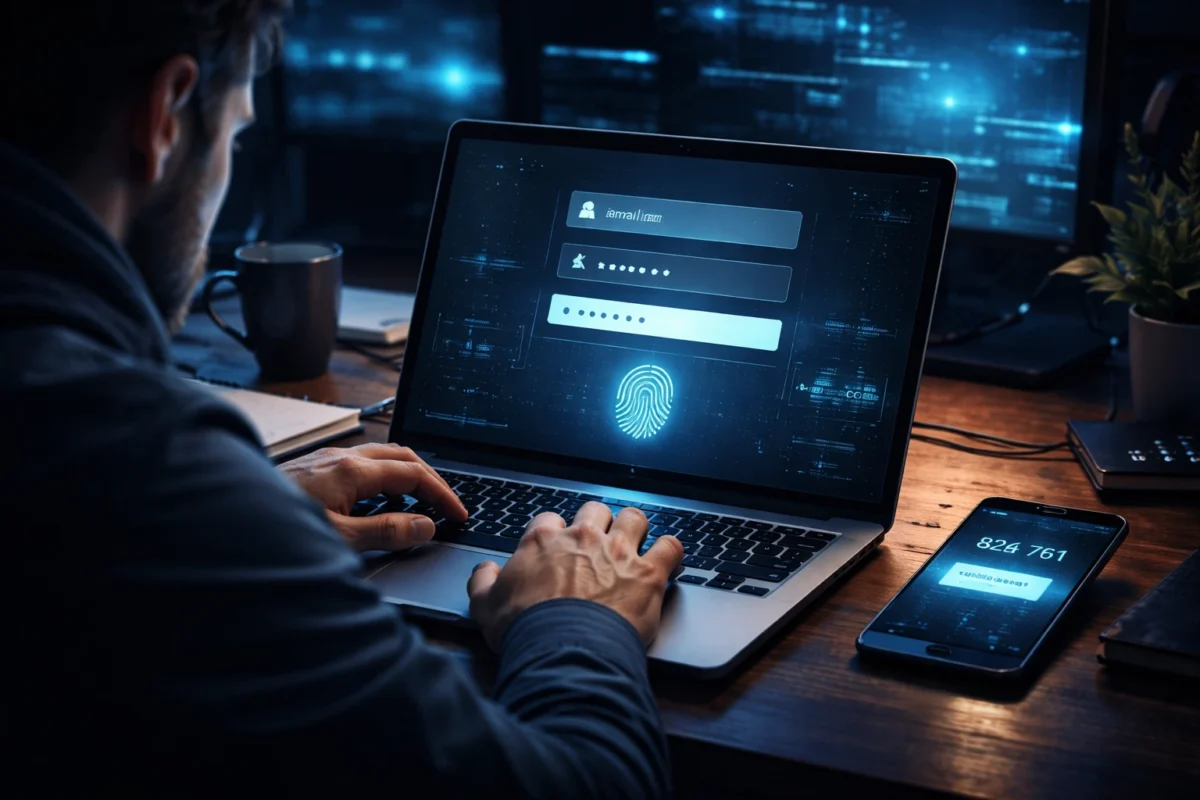
Worried about hacking, data theft, and password leaks? Multi factor authentication adds powerful extra security layers beyond passwords. Learn how it works, its benefits, drawbacks, and how to enable it for stronger online protection.
In the modern digital world, cyber threats have increased more than ever. From banking apps to personal email accounts, almost everything requires a login credentials. Unfortunately, passwords alone are no longer enough to protect sensitive information from hackers.
This is where multi-factor authentication comes in. It adds an extra layer of password verification, ensuring that only selected users can access your account. It’s great for using multiple points of proof rather than relying on just one password.
Personally, I had an amazing experience – how enabling multi-factor authentication prevented unknown login attempts to my email account. And in that moment, I realized the true importance of cybersecurity.
What Is Multi Factor Authentication?
Multi factor authentication (MFA) is a security system that requires two or more verification factors before granting access to an account, application, or device.
Rather than only typing a password, you may be required to provide additional verification as well. A one-time password sent to your phone number.
- A one-time password sent to your phone number
- A fingerprint or facial recognition
- A security token or authentication app code
This layered security significantly reduces the chances of hacking, phishing, and identity theft.
The Core Theory Behind Multi Factor Authentication
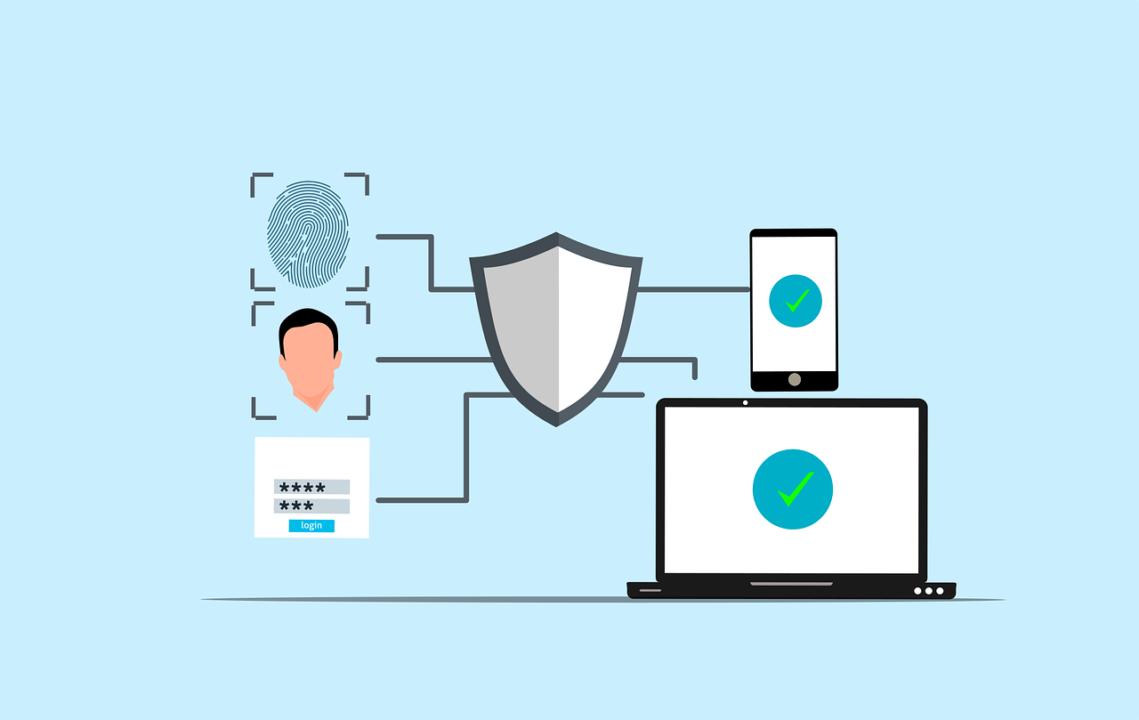
The security theory behind multi factor authentication is simple yet powerful: the more independent verification layers you add, the harder it becomes for attackers to break in.
Security experts categorize authentication into different “factors.” The system works because compromising multiple independent factors is extremely difficult for cybercriminals.
For example:
- Even if someone steals your password
- They still cannot log in without your phone or biometric data
This separation of verification factors makes multi factor authentication one of the most trusted cybersecurity measures worldwide.
The Three Types of MFA
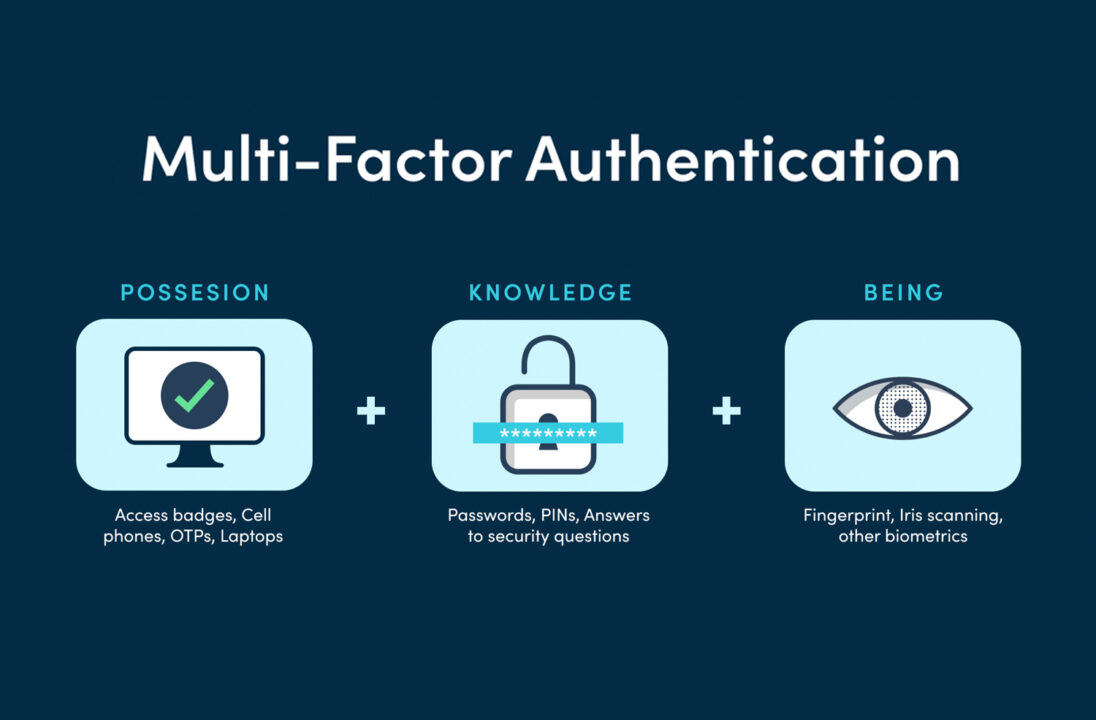
Multi factor authentication mainly works using three primary factor categories:
1. Knowledge Factor
- Password
- PIN
- Security questions
2. Possession Factor
- OTP via SMS
- Authentication app (Google Authenticator)
- Hardware security key
3. Inherence Factor
- Fingerprint
- Face recognition
- Retina scan
Combining any two or more of these creates multi factor authentication.
The 5 Factors of MFA
Beyond the common three, two additional advanced factors include:
4. Location Factor
- Login allowed only from specific geographic locations
- IP-based authentication
5. Behavior Factor
- Typing speed pattern
- Device usage behavior
- Mouse movement analysis
Modern AI-powered systems increasingly use behavioral biometrics to strengthen multi-factor authentication.
The Difference Between MFA and 2FA
A common confusion is: “the difference between MFA and 2FA?”
- 2FA (Two-Factor Authentication) requires exactly two factors.
- MFA defines two or more factors.
In simple terms:
- All 2FA is MFA.
- However, multi-factor authentication is not restricted to just two verification factors.
For example, if you use a password + OTP + fingerprint, that is multi factor authentication but not strictly 2FA.
Examples of MFA in Real Life
Many users search: “examples of MFA?”
Here are practical examples you probably use daily:
- Logging into online banking with password + OTP
- Gmail login with password + Google prompt
- ATM transaction using card + PIN
- Smartphone unlock with PIN + fingerprint
- Corporate VPN login with password + security token
Even social media platforms now strongly recommend multi factor authentication for account safety.
Is OTP a Form of MFA?
An OTP (One-Time Password) alone is not MFA. It becomes multi factor authentication only when combined with another factor like a password.
For example:
- Password only = Single-factor authentication
- OTP only = Single-factor authentication
- Password + OTP = Multi factor authentication
So yes, OTP plays a major role in multi factor authentication, but it must be combined with another independent factor.
Best Type of MFA for Maximum Security
While there is no universal “best,” security professionals consider hardware-based authentication and biometric verification as the strongest forms of multi factor authentication.
Highly secure options include:
- Hardware security keys (like USB tokens)
- Biometric authentication (fingerprint + face recognition)
- Authenticator apps instead of SMS OTP
SMS-based OTP can be vulnerable to SIM swap attacks, so app-based or hardware-based multi factor authentication is generally more secure.
The Main Disadvantage of MFA
Every security system has some limitations. Many individuals also ask: “What is the primary drawback of MFA?”
The biggest drawback of multi-factor authentication is inconvenience.
Some users find it:
- Time-consuming during login
- Difficult when phone battery dies
- Frustrating if OTP is delayed
However, this small inconvenience is minor compared to the massive protection it provides against cybercrime.
How Do I Turn On Multi-Factor Authentication?
The process is usually simple:
- Go to your account settings
- Click on Security or Privacy section
- Enable Two-Factor or Multi Factor Authentication
- Choose your preferred verification method
- Complete setup with OTP or biometric verification
Most major platforms like Google, Microsoft, Facebook, and banking apps offer easy setup for multi factor authentication.
Why Multi Factor Authentication Is Essential in 2026
With increasing data breaches, phishing attacks, ransomware, and identity theft, multi factor authentication is no longer optional.
Key benefits include:
- Stronger protection against password leaks
- Reduced risk of account takeover
- Improved business cybersecurity compliance
- Enhanced trust in online transactions
For businesses, implementing multi-factor authentication also ensures regulatory compliance and reduces financial fraud risk.
Final Thoughts: Is MFA Worth It?
From personal experience and industry data, enabling multi-factor authentication is one of the smartest cybersecurity decisions you can make.
Yes, it adds an extra login step. But it also adds powerful peace of mind.
In a world where cyber threats evolve daily, multi factor authentication acts like a digital security guard protecting your identity and data 24/7.
Frequently Asked Questions (FAQs)
1. Is multi-factor authentication mandatory?
Many banks and corporate systems now require multi factor authentication. Although it isn’t compulsory in every case, it is strongly advised.
2. Can hackers bypass MFA?
It is extremely difficult but not impossible. Advanced phishing and SIM swap attacks can bypass weak systems, which is why hardware or biometric MFA is stronger.
3. Does MFA slow down login?
Slightly, yes. But the added security outweighs the small delay.
4. Is multi-factor authentication safe for small businesses?
Absolutely. Small businesses are frequent targets of cyber attacks. Implementing MFA significantly reduces risk.
5. Can I use MFA without a smartphone?
Yes. You can use hardware tokens, email codes, or biometric devices instead.



1 thought on “Multi Factor Authentication: The Ultimate Security Shield in 2026 (Powerful Protection with One Small Drawback)”